Bookkeeper AI Guide

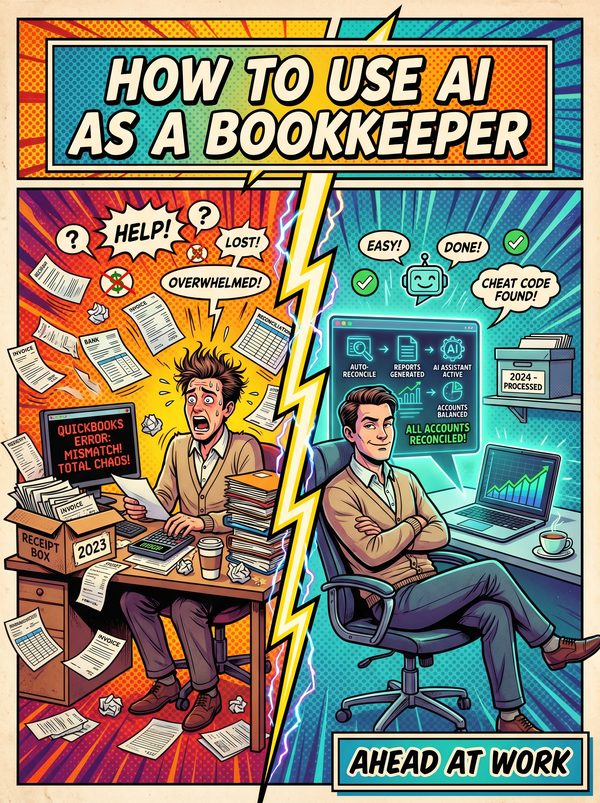
How to Use AI as a Bookkeeper

AI can do the data entry. This guide makes sure you're the one it can't replace.

7 chapters, 50+ pages Tools, prompts, and a 30-day plan
$24USD, one-time
Get the Guide Instant PDF download

What you get

16 prompts for categorization, reconciliation, client summaries, and month-end close
14 tools reviewed with pricing, including how to use the AI already built into your software
Clear guidance on which bookkeeping tasks are disappearing and which are worth more than ever
01 Why AI Matters for Bookkeepers
02 Your Daily Tasks — What AI Can Handle
03 Tools You Should Know
04 Prompts That Work
05 The Dos and Don'ts
06 Your 30-Day AI Action Plan
07 What's Next

Built for bookkeepers. Not "everyone."

The tools reviewed are ones bookkeepers actually use. The prompts are for tasks you do every day. The action plan fits your workflow, not a generic 9-to-5. This was researched for your role from the ground up.

Sound familiar?

Automation fear — 'Why do they need me when QuickBooks has AI?' QuickBooks Intuit Assist and Xero JAX now auto-categorize transactions, reconcile bank statements, and generate reports. Clients see this and wonder why they're paying a bookkeeper at all.
Repetitive data entry consuming the majority of the workweek — individual bookkeeping staff spend an average of 38 hours per month on manual tasks that AI can now handle in minutes
Busy season overwhelm — during tax season and year-end close, bookkeepers routinely work 60-80 hour weeks while maintaining accuracy standards on every single transaction
Low pay relative to responsibility — median bookkeeper salary is $49,210/year (BLS) while managing financial records that, if wrong, can trigger audits, tax penalties, and cash flow crises

Statistics sourced from published industry research.

99%
Burnout is epidemic — 99% of surveyed accountants and bookkeepers report feeling burned out, with compressed busy seasons, technology blurring work-life boundaries, and increasing client demands.

What the guide helps you do

These are real tasks from your day. The guide gives you the tools, prompts, and workflows to hand them to AI.

Transaction categorization — coding bank feed entries to the correct accounts
Receipt capture and data extraction — scanning receipts and matching them to transactions
Bank reconciliation — matching bank statement lines to ledger entries
Invoice generation and sending — creating recurring invoices and automated payment reminders
Accounts payable processing — extracting data from vendor invoices, matching to POs, scheduling payments
Expense report processing — categorizing employee expenses and flagging policy violations
Get the Guide — $24

QuickBooks has Intuit Assist. Xero has JAX. Both auto-categorize transactions, reconcile bank statements, and generate reports. Your clients can see this, and some of them are starting to wonder why they're still paying you.

BLS projects bookkeeping employment to decline 6% over the next decade. 99% of accountants and bookkeepers report burnout. And Stanford research puts it bluntly: AI is doing the "boring stuff", but if the boring stuff is 80% of your current job, what's left?

Plenty. But only if you know where the line is between what AI can handle and what still needs a human who understands the business behind the numbers.

This guide covers 14 AI tools with real pricing and 16 prompts for your actual daily work: transaction categorization, month-end close checklists, client financial summaries in plain English, bank reconciliation troubleshooting, and the client communication that turns you from a data processor into a trusted advisor.

We're direct about which parts of bookkeeping are being automated and which parts are growing in value. The 30-day plan focuses on shifting your time from the tasks AI is eating to the tasks clients will pay more for.

You'll stop spending 38 hours a month on manual entry that a $20/month tool handles better. You'll stop defending your fees to clients who think QuickBooks does your whole job.

For bookkeepers who know the job is changing and want to change with it, on their own terms.
Questions

A 50+ page PDF with 7 chapters: why AI matters for your role, which tasks to automate first, honest tool reviews, 16 ready-to-use prompts, a dos and don'ts chapter so you skip the mistakes, and a 30-day action plan to actually follow through. Instant download, keep it forever.
No. The prompts work with free tools like ChatGPT and Claude. The guide covers paid options too, but you don't need them to start.
Yes. The research, prompts, and tools were chosen specifically for this role. If your day involves the tasks listed above, this was made for you.
We won't promise that. Nobody can. What we can tell you is that people who learn to use AI tools are more productive, more valuable, and harder to replace. The people at risk are the ones who pretend AI isn't happening.

Your job is changing. Get ahead of it.

7 chapters. Honest tool reviews. 16 prompts. A 30-day plan. One PDF.

Get the Guide — $24

Instant download. Keep forever.

Related guides

$24 Get the Guide