Content Creator AI Guide

How to Use AI as a Content Creator

Run a multi-platform content operation without hiring a team you cannot afford.

7 chapters, 50+ pages Tools, prompts, and a 30-day plan
$29USD, one-time
Defamation, rights, and platform-policy notice

This guide covers a profession with specific regulatory obligations. It is not a substitute for your licensing, supervision, or professional duties. Read the full notice on page 2 of the guide and the Terms of Sale before buying.

Get the Guide Instant download

Results vary. These guides teach AI skills, not employment outcomes. Last tool-price research: April 2026. See Terms and Privacy.

What you get

19 prompts for scripts, hooks, newsletters, SEO, and sponsorship pitches
14 tools reviewed with honest pricing, including which free tiers are actually usable
A content repurposing workflow that turns one piece of content into 10+ assets
01 Why AI Matters for Content Creators
02 Your Daily Tasks: What AI Can Handle
03 Tools You Should Know
04 Prompts That Work
05 The Dos and Don'ts
06 Your 30-Day AI Action Plan
07 What's Next

Built for content creators. Not "everyone."

The tools reviewed are ones content creators actually use. The prompts are for tasks you do every day. The action plan fits your workflow, not a generic 9-to-5. This was researched for your role from the ground up.

Sound familiar?

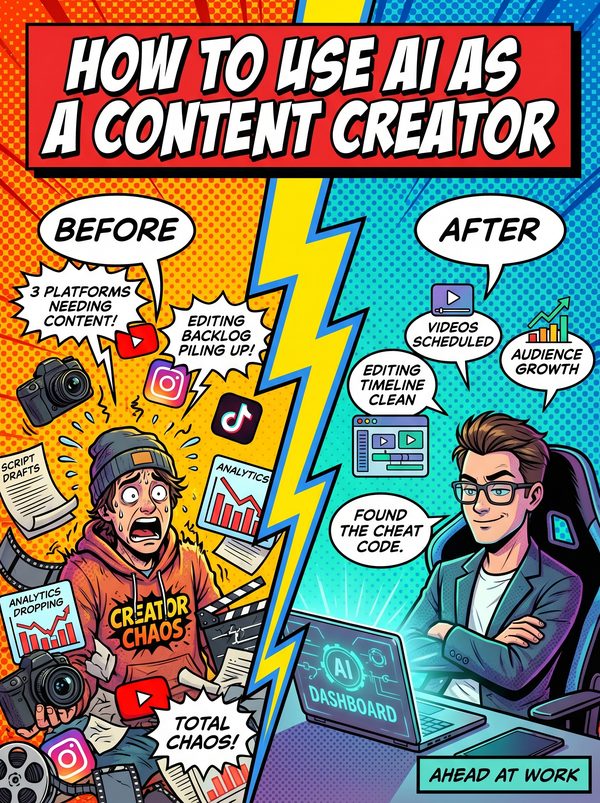
The content treadmill, creators must produce constantly across 4+ platforms just to stay visible. Full-time creators maintain an average of 4 platforms, but only 1.9 actually generate revenue. Miss a week and the algorithm forgets you exist.
Algorithm dependency, one algorithm change can wipe out months of growth overnight. Creators who experienced algorithm changes in 2025 saw average revenue drops of 30-60% when they lacked diversified channels.
Burnout is an epidemic, 90% of content creators report experiencing burnout and 71% have considered quitting social media altogether. 63% of full-time creators experienced burnout at least once in the past 12 months.
The comparison trap, imposter syndrome affects 29% of creators directly, while constant exposure to others' highlight reels drives self-doubt. Creators measure success by likes and views, and when numbers dip, feelings of being a fraud set in fast.

Statistics sourced from published industry research.

56%
Monetization pressure, 56% of full-time creators earn below a living wage.

What the guide helps you do

These are real tasks from your day. The guide gives you the tools, prompts, and workflows to hand them to AI.

Video script writing, generating hooks, outlines, and full drafts for YouTube, TikTok, and Reels
Video editing, auto-captions, filler word removal, silence trimming, and transcript-based editing
Short-form clip extraction, cutting long videos into viral-ready shorts with captions and formatting
Thumbnail and graphic design, generating concepts, layouts, and visual assets from text prompts
Social media post writing and scheduling across all platforms from a single dashboard
Newsletter drafting, writing email copy, subject lines, and segmented content for subscriber lists
Get the Guide. $29

Full-time creators juggle several platforms at once, and only a couple of them actually make money. You are the writer, videographer, editor, designer, marketer, and accountant, all at once. Burnout among content creators is widespread, and many have considered quitting altogether. For a lot of people, content creation is a side income rather than a full-time living.

This guide does not pretend AI will fix everything. It shows you exactly where AI saves real hours and where it produces garbage you will have to redo. You will get 19 prompts covering the tasks that eat your week: YouTube scripts, short-form video hooks, newsletter drafts, SEO-optimized descriptions, sponsorship pitches, and content repurposing workflows that turn one video into 10+ platform-specific assets.

The tool reviews cover 14 options with real prices, Descript, OpusClip, CapCut, VidIQ, Canva, ElevenLabs, and more. Each review tells you what it actually does well, what the free tier covers, and when upgrading is worth it. We also tell you which tools to skip.

Creative fatigue is one of the top causes of burnout for creators, followed by demanding workloads and constant screen time. The 30-day action plan is designed around that, it starts with the repetitive production work (editing, captions, thumbnails) so you can save your creative energy for the ideas that grow your audience.
Questions

A 50+ page guide with 7 chapters: why AI matters for your role, which tasks to automate first, honest tool reviews, 19 ready-to-use prompts, a dos and don'ts chapter so you skip the mistakes, and a 30-day action plan to actually follow through. Instant download, keep it forever.
No. The prompts work with free tools like ChatGPT and Claude. The guide covers paid options too, but you don't need them to start.
Yes. The research, prompts, and tools were chosen specifically for this role. If your day involves the tasks listed above, this was made for you.
We won't make promises about your job or your pay. Nobody honestly can. What this guide does is teach the AI tools and workflows showing up in your role, so you can put them to use on the work you already do. The people who fall behind are the ones who ignore AI entirely.

Your job is changing. Get ahead of it.

7 chapters. Honest tool reviews. 19 prompts. A 30-day plan. One guide.

Get the Guide. $29

Instant download. Keep forever.

Related guides

$29 Get the Guide