Instructional Designer AI Guide

How to Use AI as an Instructional Designer

Design better courses in less time without letting AI flatten the learning experience.

7 chapters, 50+ pages Tools, prompts, and a 30-day plan
$29USD, one-time
Get the Guide Instant PDF download

What you get

13 prompts for learning objectives, scenario scripts, assessments, and facilitator guides
13 tools reviewed with pricing, authoring platforms, video tools, and AI writing assistants
A framework that keeps you in the designer seat while AI handles the drafting
01 Why AI Matters for Instructional Designers
02 Your Daily Tasks — What AI Can Handle
03 Tools You Should Know
04 Prompts That Work
05 The Dos and Don'ts
06 Your 30-Day AI Action Plan
07 What's Next

Built for instructional designers. Not "everyone."

The tools reviewed are ones instructional designers actually use. The prompts are for tasks you do every day. The action plan fits your workflow, not a generic 9-to-5. This was researched for your role from the ground up.

Sound familiar?

AI writing course content is the existential threat — more than half of instructional designers already use AI, and 44% use it specifically for content creation. The question every ID asks: 'If AI can write my course content, what is my value?'
SME availability is the #1 bottleneck — 13% of instructional designers cite lack of SME access as a primary challenge. SMEs are busy professionals doing their own jobs and often treat course collaboration as a low-priority additional task
Rapid development timelines are crushing quality — stakeholders want courses built in days, not weeks. 65% of instructional design professionals expect AI to significantly alter their workflows within five years, creating pressure to deliver faster
Proving learning impact is the perennial measurement gap — stakeholders want ROI data, but connecting training completion to business outcomes (productivity, error reduction, retention) remains notoriously difficult

Statistics sourced from published industry research.

40%
Under 40% of instructional design programs have updated curricula to include AI concepts — most IDs are self-teaching AI skills with no formal training, creating a significant knowledge gap between early adopters and the majority.

What the guide helps you do

These are real tasks from your day. The guide gives you the tools, prompts, and workflows to hand them to AI.

Drafting learning objectives, course outlines, and curriculum maps
Generating assessment questions — multiple choice, scenario-based, and short answer
Writing scenario scripts and branching scenario dialogue
Creating facilitator guides and trainer notes from course content
Summarizing SME interviews and converting raw notes into structured content
Creating AI-generated video narration and avatar-based training videos
Get the Guide — $29

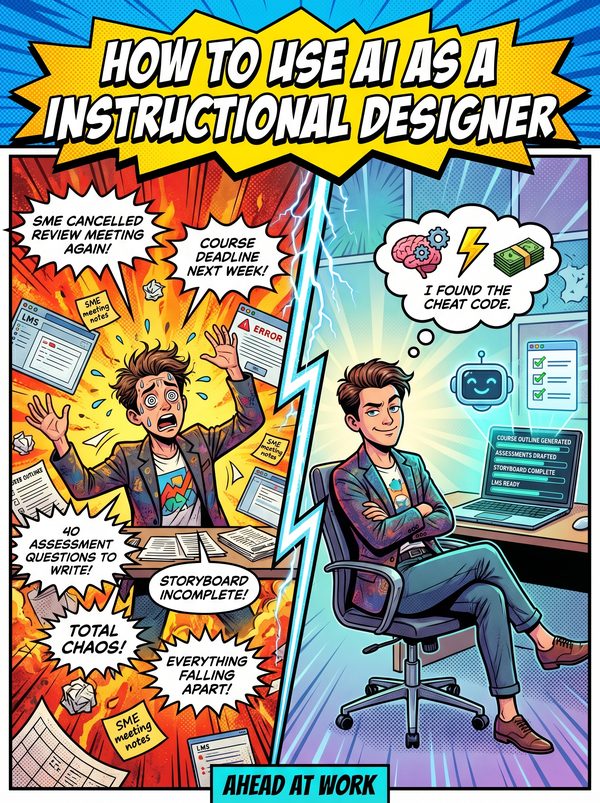
Stakeholders want a course built in days. Your SME cancelled again. And somewhere in the back of your mind, you are wondering: if AI can generate learning objectives, write scenario scripts, and build assessment questions, what exactly is your job now?

Your job is the part AI gets wrong. AI can draft a course outline in minutes, but it cannot determine whether the instructional strategy actually matches how adults learn in your specific context. It cannot read the room in a needs analysis meeting. It cannot tell the difference between a compliance checkbox exercise and training that genuinely changes behavior. That distinction is your entire value.

This guide shows you how to use 13 AI tools to handle the production work, drafting objectives, generating assessment questions, writing scenario scripts, creating facilitator guides, and producing microlearning modules, so you can spend your time on the design decisions that matter. Each tool is reviewed with real prices, from authoring platforms like Articulate 360 and Synthesia to the AI writing tools that speed up every text-heavy task.

The 13 prompts cover Bloom's-aligned learning objectives, course structure builders, multi-format assessment generators, branching scenario scripts, facilitator guide templates, and microlearning module creators. Every prompt is structured so the output needs your instructional expertise to finish, not just a spell check.

For instructional designers, learning experience designers, and L&D professionals who want AI to handle the production so they can focus on the pedagogy.
Questions

A 50+ page PDF with 7 chapters: why AI matters for your role, which tasks to automate first, honest tool reviews, 13 ready-to-use prompts, a dos and don'ts chapter so you skip the mistakes, and a 30-day action plan to actually follow through. Instant download, keep it forever.
No. The prompts work with free tools like ChatGPT and Claude. The guide covers paid options too, but you don't need them to start.
Yes. The research, prompts, and tools were chosen specifically for this role. If your day involves the tasks listed above, this was made for you.
We won't promise that. Nobody can. What we can tell you is that people who learn to use AI tools are more productive, more valuable, and harder to replace. The people at risk are the ones who pretend AI isn't happening.

Your job is changing. Get ahead of it.

7 chapters. Honest tool reviews. 13 prompts. A 30-day plan. One PDF.

Get the Guide — $29

Instant download. Keep forever.

Related guides

$29 Get the Guide