Office Manager AI Guide

How to Use AI as an Office Manager

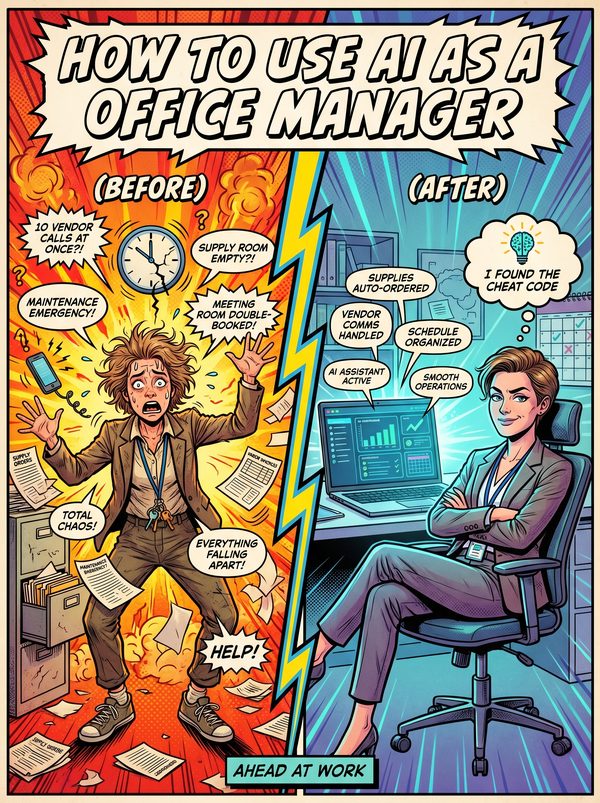
You wear 10 hats, AI can take at least 6 of them off your head.

7 chapters, 50+ pages Tools, prompts, and a 30-day plan
$24USD, one-time
Get the Guide Instant PDF download

What you get

15 prompts for policies, vendor emails, onboarding checklists, and internal communications
13 tools reviewed with real pricing, including free tiers that cover most small office needs
Workflow automation basics to connect your disconnected tools and stop entering data twice
01 Why AI Matters for Office Managers
02 Your Daily Tasks — What AI Can Handle
03 Tools You Should Know
04 Prompts That Work
05 The Dos and Don'ts
06 Your 30-Day AI Action Plan
07 What's Next

Built for office managers. Not "everyone."

The tools reviewed are ones office managers actually use. The prompts are for tasks you do every day. The action plan fits your workflow, not a generic 9-to-5. This was researched for your role from the ground up.

Sound familiar?

Wearing too many hats — office managers routinely handle admin, HR, IT support, facilities, event planning, reception, and finance simultaneously. You are the default owner of everything that doesn't fit neatly into someone else's job description.
Invisible labour — when the office runs smoothly, nobody notices. Successes are taken for granted and failures fall on the office manager's shoulders. 66% of administrative professionals say their contributions go unrecognised year-round.
No clear career path — most organisations do not define advancement paths for administrative professionals, leaving office managers stuck in a role with no obvious next step, no title progression, and no structured professional development.
Everyone's problem solver — you are the first person people come to for anything from a broken printer to a parking dispute to an unhappy vendor. The constant context-switching across unrelated problems is mentally exhausting.

Statistics sourced from published industry research.

69%
Burnout from being always-on — office managers are expected to arrive first, leave last, and be available for every emergency in between.

What the guide helps you do

These are real tasks from your day. The guide gives you the tools, prompts, and workflows to hand them to AI.

Drafting office policies, SOPs, and procedure documents from scratch or updating existing ones
Writing internal communications — announcements, policy updates, event invitations, weekly digests
Creating meeting agendas, summarising meeting notes, and extracting action items with owners and deadlines
Vendor comparison emails and RFP responses — drafting quote requests, evaluation matrices, and negotiation emails
Employee onboarding checklists and welcome materials — first-day schedules, orientation guides, IT setup instructions
Scheduling and calendar management — finding meeting times, resolving conflicts, booking rooms
Get the Guide — $24

You are the default owner of everything that does not fit neatly into someone else's job description. Admin, HR, IT support, facilities, event planning, reception, vendor management, and finance, all landing on the same desk. When the office runs smoothly, nobody notices. When something breaks, it is your fault.

Office workers spend 636.6 hours per year on administrative or repetitive tasks. That is roughly one-third of the entire working year. This guide targets those hours specifically.

You will get 15 prompts for the tasks that fill your day: office policy documents, vendor comparison emails, meeting agendas with action items, onboarding checklists, internal announcements, event planning timelines, and budget summaries. Each one is ready to paste and customize for your workplace.

The 13 tool reviews cover what actually helps office managers, Notion for operations wikis, Zapier and Make for connecting your disconnected tools, Calendly for eliminating scheduling emails, Envoy for visitor management, and more. Each review includes real pricing and tells you whether the free tier is enough or if upgrading makes sense for your office size.

The guide also covers workflow automation basics, how to connect the 8-12 tools you already use so they stop requiring duplicate data entry. The 30-day plan starts with the biggest time drains (meeting prep, vendor emails, policy updates) and builds toward automated workflows that run without you.

For office managers who are tired of being the human glue holding the office together.
Questions

A 50+ page PDF with 7 chapters: why AI matters for your role, which tasks to automate first, honest tool reviews, 15 ready-to-use prompts, a dos and don'ts chapter so you skip the mistakes, and a 30-day action plan to actually follow through. Instant download, keep it forever.
No. The prompts work with free tools like ChatGPT and Claude. The guide covers paid options too, but you don't need them to start.
Yes. The research, prompts, and tools were chosen specifically for this role. If your day involves the tasks listed above, this was made for you.
We won't promise that. Nobody can. What we can tell you is that people who learn to use AI tools are more productive, more valuable, and harder to replace. The people at risk are the ones who pretend AI isn't happening.

Your job is changing. Get ahead of it.

7 chapters. Honest tool reviews. 15 prompts. A 30-day plan. One PDF.

Get the Guide — $24

Instant download. Keep forever.

Related guides

$24 Get the Guide