Project Manager AI Guide

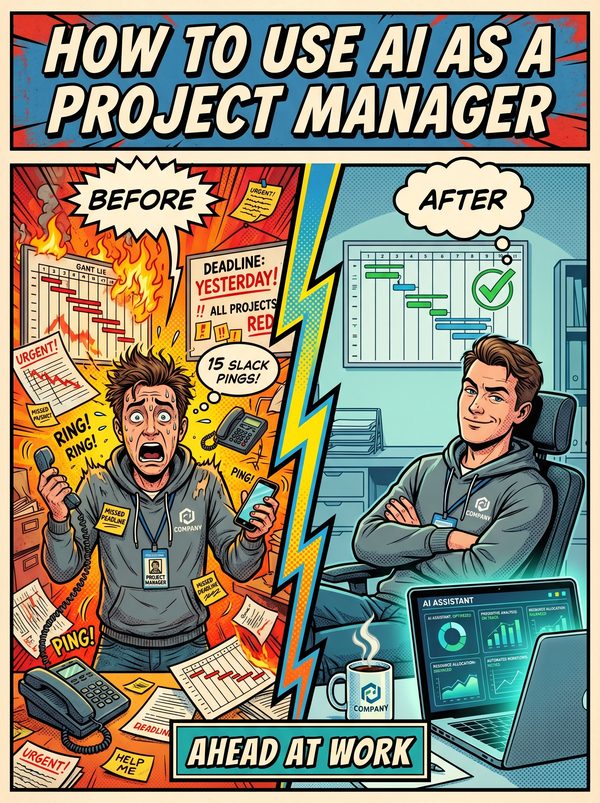
How to Use AI as a Project Manager

Spend less time chasing status updates and more time actually leading the project.

7 chapters, 50+ pages Tools, prompts, and a 30-day plan
$29USD, one-time
Get the Guide Instant PDF download

What you get

20 prompts for project plans, risk registers, status reports, and stakeholder comms
Automate the weekly status report that eats a full day of your month
15 tools reviewed for real PM workflows, not generic productivity apps
01 Why AI Matters for Project Managers
02 Your Daily Tasks — What AI Can Handle
03 Tools You Should Know
04 Prompts That Work
05 The Dos and Don'ts
06 Your 30-Day AI Action Plan
07 What's Next

Built for project managers. Not "everyone."

The tools reviewed are ones project managers actually use. The prompts are for tasks you do every day. The action plan fits your workflow, not a generic 9-to-5. This was researched for your role from the ground up.

Sound familiar?

Meeting overload — leaders spend up to 23 hours per week in meetings, and two-thirds of those meetings are considered unnecessary, leaving almost no time for strategic thinking or deep work
Status report fatigue — 50% of project managers spend one full day or more per month just collating project status information, and 47% lack real-time KPIs to make it faster
Burnout is rampant — approximately 50% of project managers report experiencing burnout, driven by heavy workloads, excessive meetings, and a constant need to be the communication hub for every stakeholder
The 'PM as admin' trap — knowledge workers spend 60% of their time on 'work about work' (status chasing, unnecessary meetings, tool switching), leaving only 13% for actual strategic planning

Statistics sourced from published industry research.

52%
Scope creep on 52% of projects — when stakeholders make 'small' requests and PMs agree to maintain relationships, unanticipated commitments pile up, causing delays, budget overruns, and team frustration.

What the guide helps you do

These are real tasks from your day. The guide gives you the tools, prompts, and workflows to hand them to AI.

First-draft status reports from raw task data and progress notes
Meeting transcription, summarisation, and automatic action item extraction
Sprint retrospective summaries and trend analysis across multiple sprints
Drafting stakeholder update emails, delay notifications, and change request justifications
Risk register generation — identifying risks, likelihood, impact, and mitigation strategies from project context
Meeting agenda creation and pre-meeting briefing documents
Get the Guide — $29

You spend 90% of your day communicating and 60% of your time on work about work, status chasing, unnecessary meetings, switching between Jira and Slack and email and spreadsheets. Only 13% of your week goes to the strategic thinking you were actually hired for.

Half of all project managers report burnout. 52% of projects suffer scope creep. And Gartner says 80% of traditional PM tasks could be automated by 2030, which means someone in your org is already thinking about what that looks like.

This guide helps you be the person who answers that question, not the one who gets blindsided by it.

Inside: 15 AI tools reviewed with honest pricing and 20 prompts you can use this week for project plans, risk registers, status reports, stakeholder updates, scope change analysis, and meeting summaries. These aren't generic productivity prompts. They're built for the way PMs actually work, juggling multiple projects, managing up and down, and translating between technical teams and executives who speak different languages.

The 30-day plan starts with automating your weekly status report (the task 50% of PMs spend a full day on every month) and builds from there.

You'll stop being the human bridge between 6 disconnected tools. You'll stop spending your Mondays writing what happened last week instead of planning what happens next.

For project managers who want to lead projects, not just report on them.
Questions

A 50+ page PDF with 7 chapters: why AI matters for your role, which tasks to automate first, honest tool reviews, 20 ready-to-use prompts, a dos and don'ts chapter so you skip the mistakes, and a 30-day action plan to actually follow through. Instant download, keep it forever.
No. The prompts work with free tools like ChatGPT and Claude. The guide covers paid options too, but you don't need them to start.
Yes. The research, prompts, and tools were chosen specifically for this role. If your day involves the tasks listed above, this was made for you.
We won't promise that. Nobody can. What we can tell you is that people who learn to use AI tools are more productive, more valuable, and harder to replace. The people at risk are the ones who pretend AI isn't happening.

Your job is changing. Get ahead of it.

7 chapters. Honest tool reviews. 20 prompts. A 30-day plan. One PDF.

Get the Guide — $29

Instant download. Keep forever.

Related guides

$29 Get the Guide